Watch this
Signing up
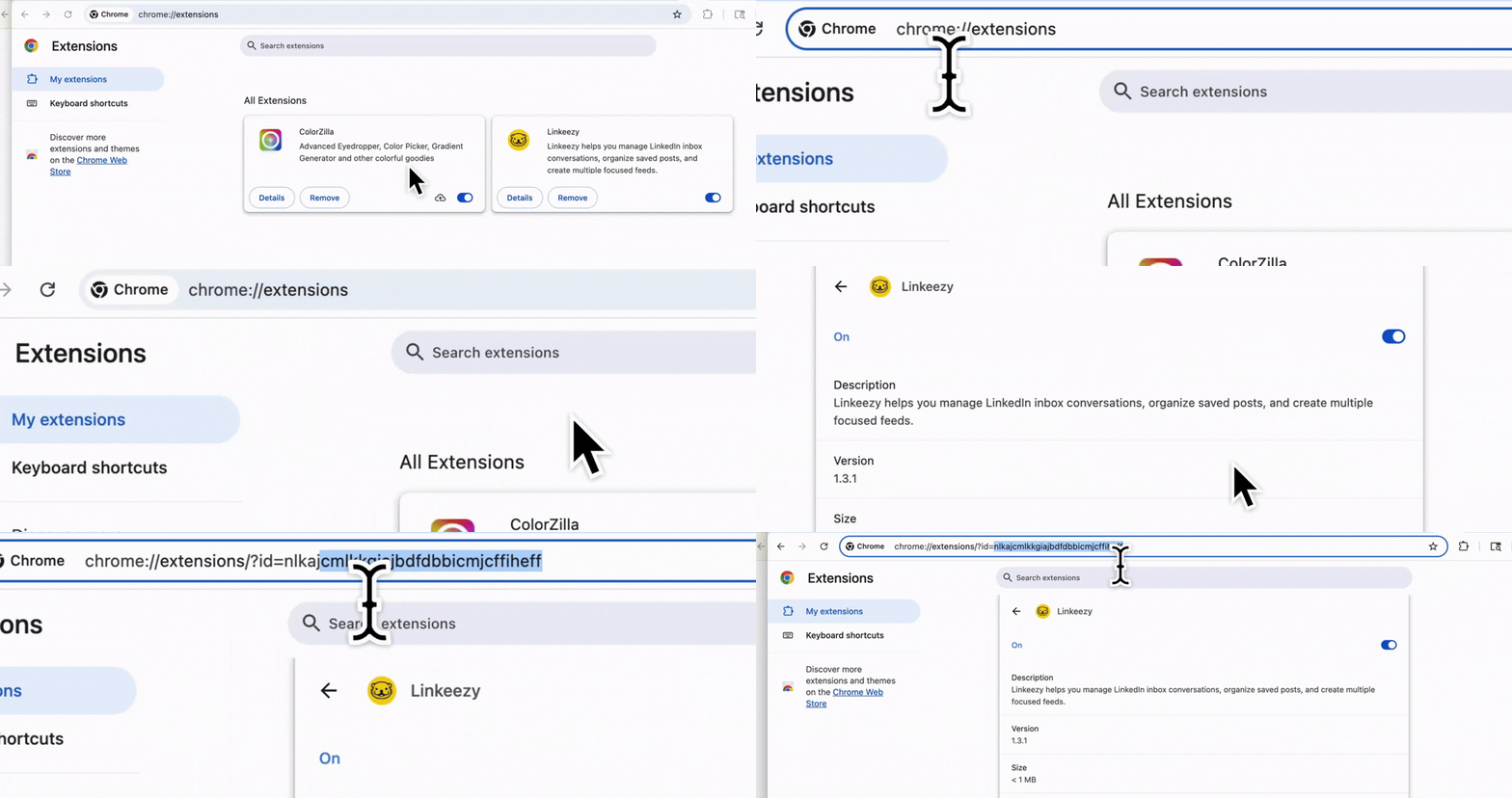
Get your Linkeezy account set up in minutes. Just sign up for your 7-day free trial, no credit card required. Then download the Chrome Extension. Here’s what you need to do next:- Get your unique extension ID. To get your extension ID, navigate to where all your Chrome Extensions are. Copy and paste this chrome://extensions/ into the address bar of the Chrome browser and hit enter.
- Then go to the Linkeezy extension you just downloaded, hit “Details”, and where the URL is displayed in the address bar, you’ll see: chrome://extensions/?id=[Your ID Number]. You need to copy that ID number.
- Then paste that ID where prompted in Linkeezy. You can also adjust this in your profile settings.
Our app and extension does not store any of your LinkedIn info, data, or content in the app. There is no data scraping, no AI, no auto replying, and no platform manipulation. You have full human control and that’s what LinkedIn should be, no bot or AI slop here. Read more in our compliance article.
Detailed guides
For more in-depth explanations and frequently asked questions about how things work in Linkeezy, check out the rest of the docs below.Inbox Manager
Everything about the LinkedIn inbox manager for your DMs.
Focused Feeds
Everything about creating focused feeds of people and topics.
Saved Posts
Everything about searching and organizing all your saved posts.
LinkedIn Compliance
How we ensure compliance with LinkedIn’s Terms of Service.